
AlertRank is a free web-based tool that helps to make sense of your Google alerts.
Most of us use Google Alerts to keep an eye on our keyword or brand mentions but few of us are actually satisfied with the tool… Until you try AlertRank.
Benefits of the tool
- Manage and analyze multiple Google Alerts through an online dashboard
- Get more control over your email inbox: you may for example choose to block email alerts and only access results via online dashboard;
- See the SEO rank of each result in your alerts;
- Select alerts from sites that allow comments, trackbacks, DO FOLLOW, or display Adsense;
- View over a dozen detailed ranking values for each alert to prioritize the ones you must act on;
- Automatically post of alerts to Twitter or Delicious;
- Create custom reports on your alerts in Excel or PDF formats;
- View detailed and visualized analytics to identify the most influential sources for your keywords;
- View daily, weekly, and monthly trends for any search term, and even compare trends between terms
- Tag alerts by sentiment to analyze your brand feedback over time.
The process
Step 1: Tell Google to send alerts to your AlertRank address
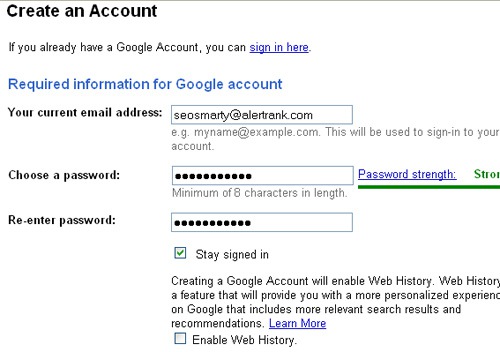
- Go to the Google account creation page and fill in your AlertRank email address, (which for me was seosmarty@alertrank.com);
- Verify your new Google account;
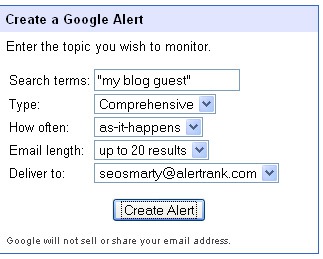
This is where all the fun starts
Google Alerts on SteroidsFrom now on, all Google alerts sent to you will contain “Alert Rank” – each site in the alert will be rated based on the internal algorithm that takes into account:
- Google pagerank;
- Alexa rank;
- Inbound links;
- Page features (number of comments, AdSense, etc);
- Delicious bookmarks, etc.
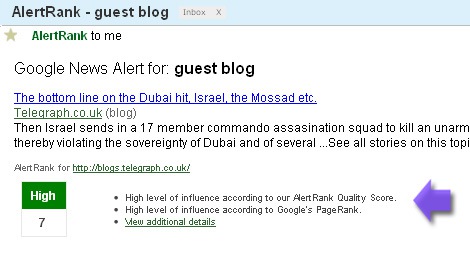
Enhanced alert statistics:
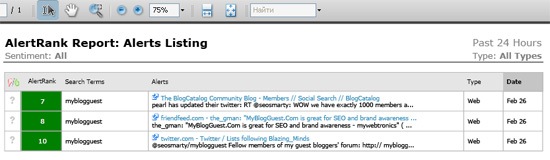
All the results sent by Google are compiled in a handy table containing the following columns:
- The exact page based on your alert settings;
- Search terms used to find that page;
- The sentiment (you should change it yourself);
- AlertRank;
- Type of the alert (news, blogs, etc);
- Date of the alert:
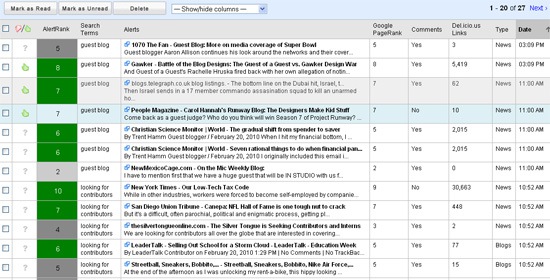
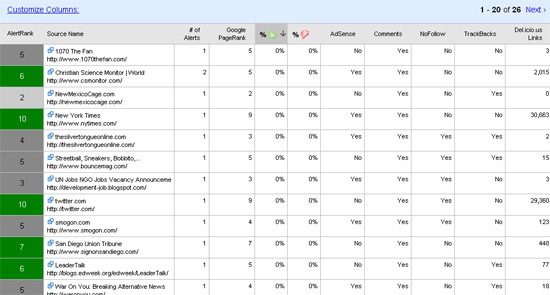
You can also click through SOURCES tab to see domain stats that got into your alerts:
Alert Analytics
This section displays handy charts that sum up the following:
- Alert frequency over time;
- Sentiment analysis;
- Average AlertRank of each alert;
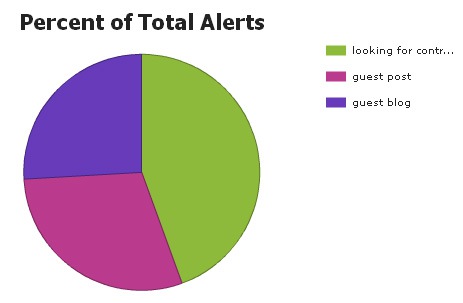
- Percentage of total alerts:
Daily Email Reports (Excel and/or PDF)
These are actually ready-made reputation management report for your client!


.jpg)
